How to Automate Airbnb Guest Messages (Without Losing the Personal Touch)
Booking confirmation, check-in, WiFi code, review request: every message you write 10 times a month can be automated. Step-by-step guide, tools and templates.
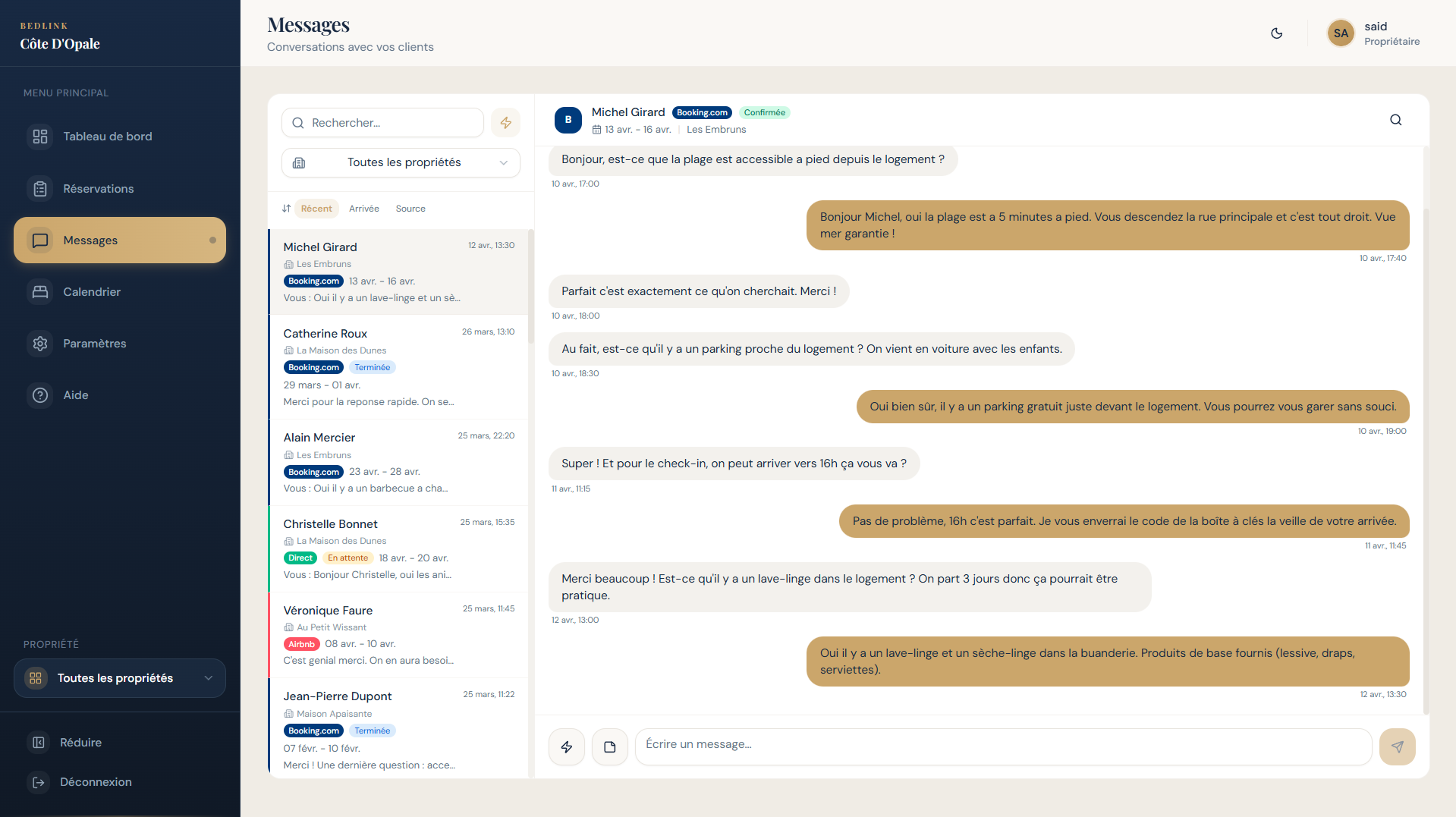
Have you been writing the same welcome message for 2 years? Do you forget one check-in message out of three? Do you lose 30 minutes a day confirming bookings? Those are the symptoms of non-automated guest communication, and it is one of the most profitable things a host can optimize.
This article explains which messages to automate, with which tool, and how to keep them personal.
The 5 messages that come with every booking
Before talking tools, let's identify what is worth automating. In any short-term rental, 80% of your guest communication is exactly the same from one booking to the next. The 5 standard messages:
| # | Message | When to send it | Why automate it |
|---|---|---|---|
| 1 | Booking confirmation | Right after the booking | Reassures the guest, sets the tone |
| 2 | Pre-arrival | 24 to 48 hours before check-in | Practical info, what to prepare |
| 3 | Arrival | On check-in day | Access code, parking, emergency contact |
| 4 | Pre-departure | The day before check-out | Departure procedure, where to leave the keys |
| 5 | Review request | 24 hours after departure | Maximize 5-star reviews |
Count 2 to 3 minutes per message written by hand. For 10 bookings a month, that is 2.5 to 5 hours of your time freed up.
The 3 main families of tools
You have three options for automating, in increasing order of sophistication.
1. Airbnb's native "Saved Replies" (free)
Airbnb offers reply templates you can create under Inbox → Saved messages. You write the template once and insert it manually each time.
Strengths:
- 100% free
- No third-party tool to set up
- Variables available (guest first name, dates)
Weaknesses:
- Manual sending: you still have to click
- No automatic scheduled sending
- Limited to Airbnb (nothing for Booking.com or Vrbo)
When to use it: 1 to 2 properties on Airbnb only, few bookings, zero budget.
2. Scheduled messages through a channel manager
This is the solution most used by professional hosts. All modern channel managers (Smoobu, Lodgify, BedLink, Amenitiz, SuperHote, Hospitable) include a messaging module with:
- Templates with dynamic variables (
{guest_name},{check_in_date},{wifi_code}...) - Time-based triggers (send X days before, X hours after...)
- Multi-platform (Airbnb + Booking.com + Vrbo in a single inbox)
- Per-platform scheduling (a different template for each platform)
Strengths:
- Real automation (not just templates)
- Everything in the same tool as your channel manager
- Unified inbox
- "Zero touch" once configured
Weaknesses:
- Time-consuming initial setup (2 to 4 hours to build 5 templates across several platforms)
- Cost of the channel manager (€13 to €70 a month)
- Learning the variable syntax
When to use it: from 2 properties or 3+ platforms. It is the default option for a professional host.
3. Tools dedicated to guest messaging
Specialized solutions such as Hospitable (formerly Smartbnb), iGMS or Autonomya focus only on communication, with an AI layer to answer guests' spontaneous questions.
Strengths:
- AI layer that drafts contextual replies
- Automatic language detection
- Libraries of ready-made replies
- "Autopilot" mode: the AI answers common questions on its own
Weaknesses:
- An extra tool to pay for on top of the channel manager (€25 to €70 a month)
- Even longer setup
- Risk of inappropriate replies if the AI is not briefed well
When to use it: 5+ properties, lots of spontaneous requests, and you really want to delegate communication.
Step-by-step setup: an "arrival" template that works
Here is a standard "Arrival" template you can adapt to any tool:
Hello {guest_first_name},

Welcome to {property_name}!

YOUR ARRIVAL TODAY:
- Address: {full_address}
- Door code: {door_code}
- Parking: {parking_info}

USEFUL INFO:
- WiFi: {wifi_name} / password: {wifi_code}
- Heating/AC: panel in the dining room
- Trash: Tuesday evening, yellow bin

IF YOU NEED ANYTHING:
- My number: {host_phone}
- In an emergency: {emergency_phone}

Enjoy your arrival, and do let me know if you need anything at all!

{host_first_name}
Recommended trigger: sent automatically on check-in day, at 10 am local time.
Per-platform personalization: adapt the tone slightly to the platform. Airbnb = warm and casual. Booking.com = a more professional, formal tone.
5 common mistakes to avoid
-
Automating everything without testing: send each template to your own address before turning it on. Variables that do not get replaced send a weird message like
Hello {guest_name}. -
Forgetting the check-out: an automatic review request 24 hours after check-out doubles your rate of 5-star reviews. Many hosts skip it.
-
Over-communicating: 5 messages per stay is the right dose. Beyond 8 to 10, the guest feels harassed.
-
Identical on every platform: Booking.com expects a more formal tone than Airbnb. Adapting the template per platform improves reviews.
-
Not updating the codes: if you change the door code or the WiFi, remember to update your templates. A guest who receives a wrong code means a phone call at 10 pm.
How much does it cost, depending on your situation?
| Situation | Recommended solution | Cost |
|---|---|---|
| 1 property, Airbnb only | Native Saved Replies | €0 |
| 2-3 properties, multi-platform | Channel manager with messaging (Smoobu / Lodgify / BedLink) | €30-70/month |
| 5+ properties or AI needed for spontaneous replies | Channel manager + dedicated tool (Hospitable / iGMS) | €50-150/month |
| You do not want to configure ANYTHING yourself | Service with setup included (BedLink) | €35/month + €8 per extra property |
If you do not want to set up your templates yourself
BedLink falls in the last category. We configure your message templates in the channel manager during setup (the 5 standard messages adapted to your property, your platforms and your tone). You end up with a system that sends everything automatically, without touching the configuration.
Want to see BedLink for real?
Leave your details and Simon will get back to you within 24 hours by call or message, to give you access to the demo and talk about your situation.
Request the demo →Going further
- To understand the channel manager's role in all this: what is a channel manager?
- For a comparison of the tools: best channel manager 2026
- For collecting your Airbnb guests' emails (and writing to them outside the platform), see our guide on collecting guest emails.
- For the service with setup included: setup included page
Simon Laurent, founder of BedLink. Channel manager + direct booking site with setup included, for owners of 1 to 10 properties in France.